Step 01 of 04
Interactive Live Map
View employees, sites, and current field activity in Denver.
Denver regionLoading
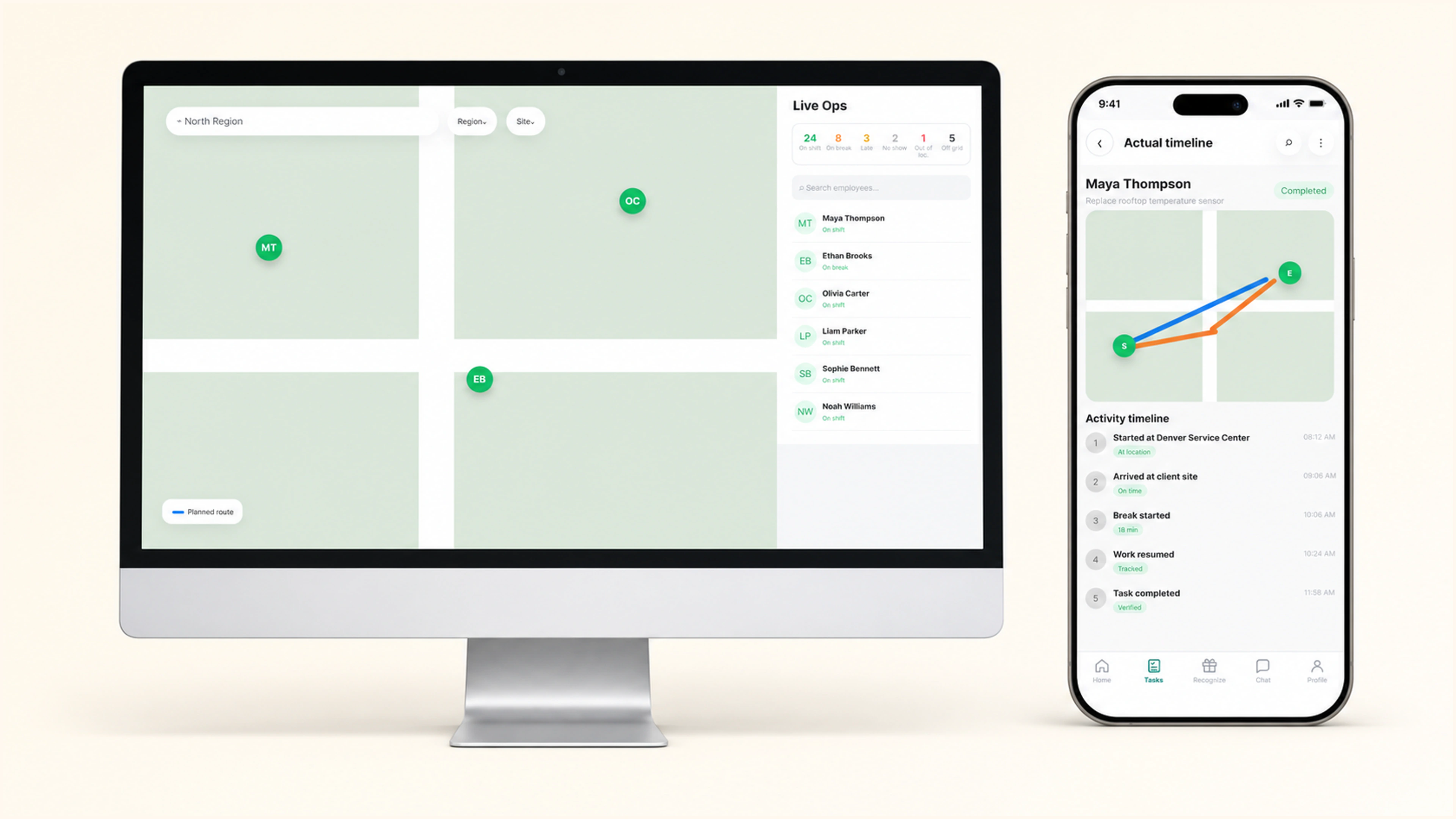
Follow employees, routes, stops, tasks, and exceptions on an interactive live map, compare planned versus actual activity, and open the same timeline from the finished timesheet.
Instant value
See who is travelling, at a site, or handling an exception.
Compare planned and actual distance and time.
Follow locations, tasks, breaks, and completions chronologically.
Keep route and task evidence attached to recorded time.
Live view · planned · actual · replay
Connect the live workforce map, route variance, and activity timeline to the matching timesheet period.
View employees, sites, and current field activity in Denver.
Denver regionCompare the scheduled route with the path completed in the field.
Follow stops, tasks, breaks, and travel in chronological order.
Replay the route and activity context inside the selected work period.
08:12–11:58Inside the product
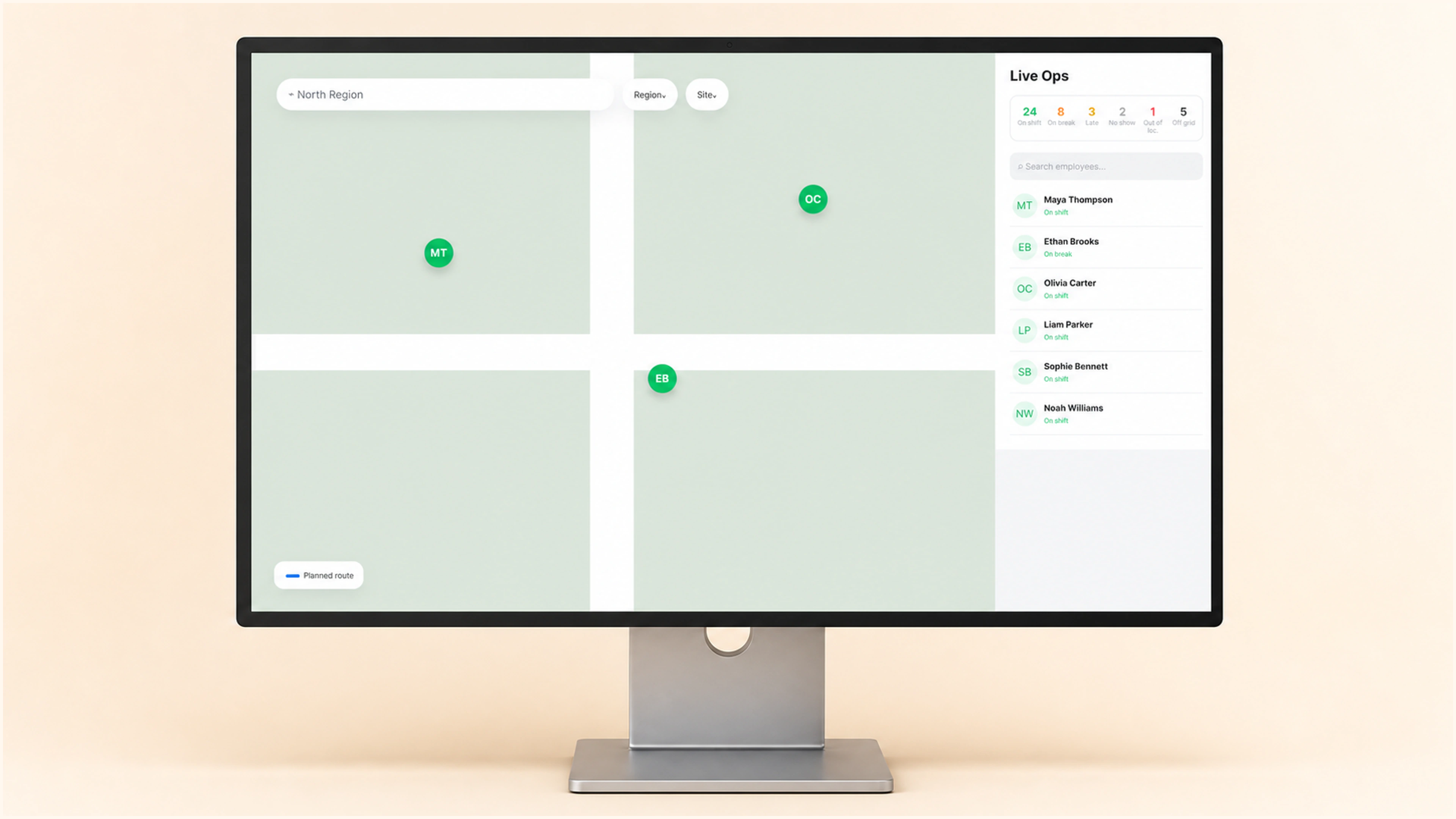
See region and site context, employee map positions, and the live on-shift, break, late, no-show, out-of-location, and off-grid status counts in one shared view.
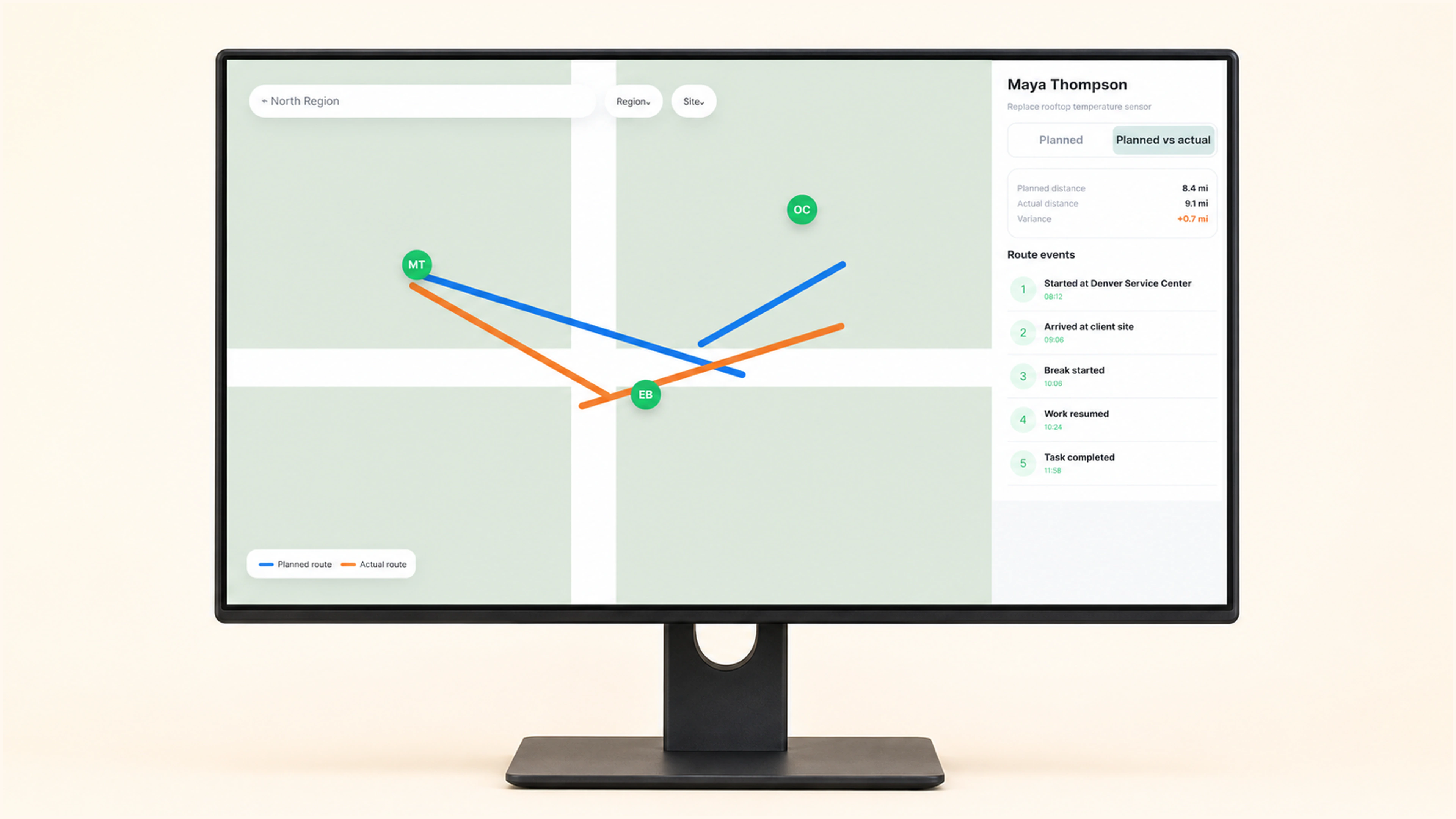
Overlay the scheduled route with the path completed in the field, then reconcile the detour to its distance, time variance, and ordered task events.
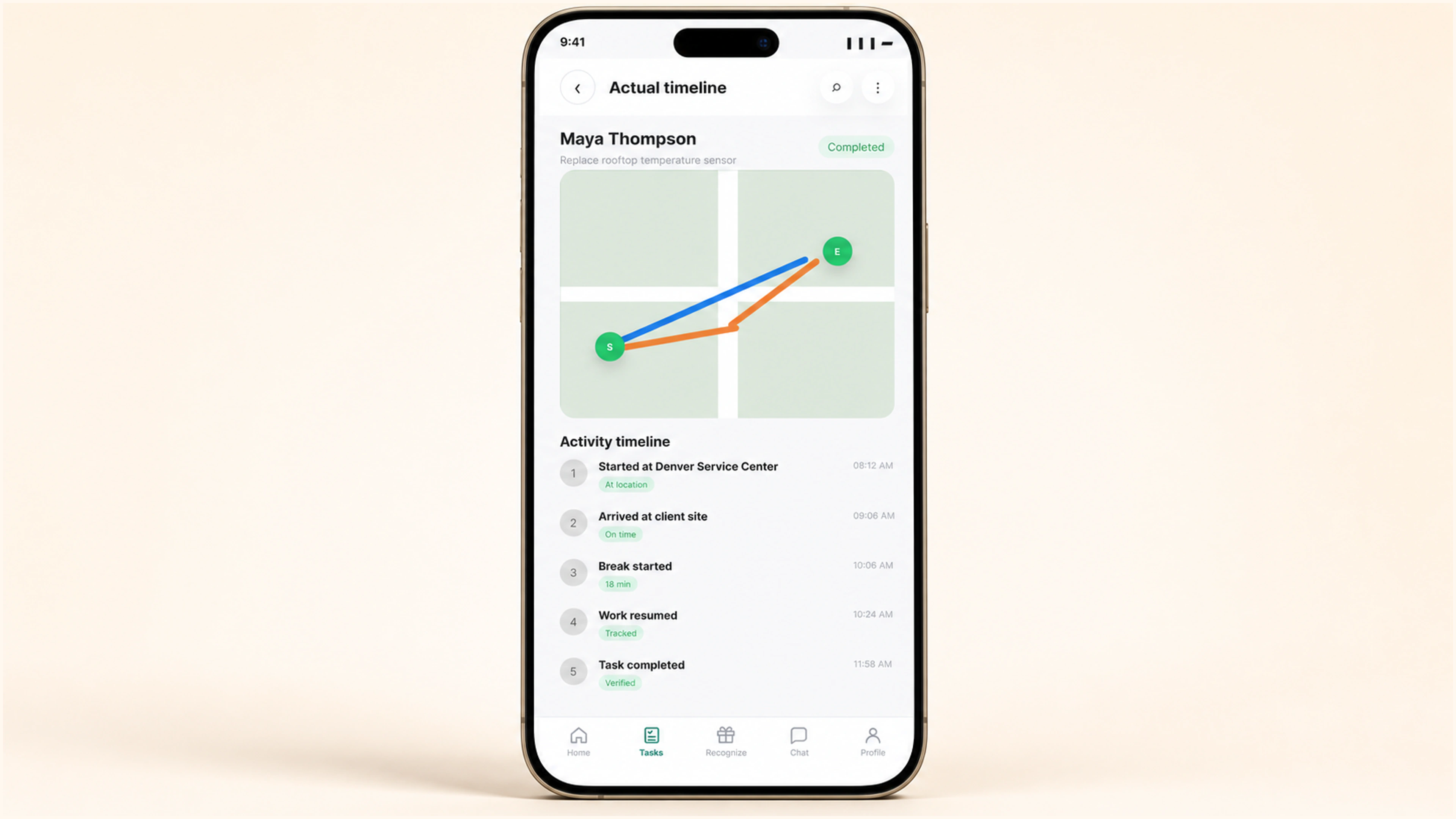
Location verification, task start, break, route resumption, site approach, and completion stay ordered beside the route snapshot and exact timer reconciliation.
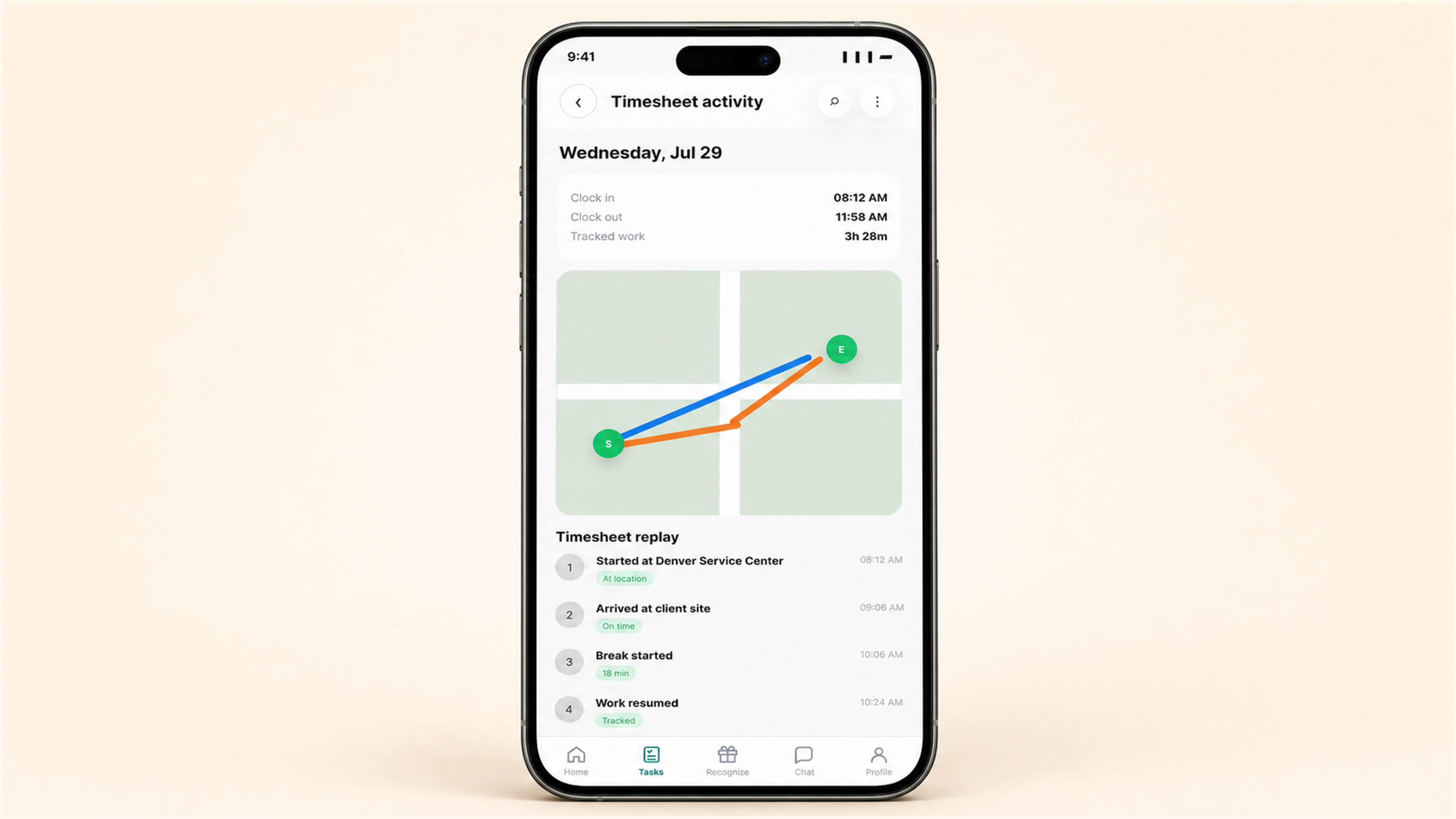
Open a completed timesheet row and replay its location, timer, break, task, and route evidence while the verified duration and actual distance remain visible.
See the field day as it happens, understand every variance, and keep the evidence available in timesheets.
More in Scheduling & timesheets