Step 01 of 05
Rating Setup
Choose public or private access, submission frequency, and assigned ratings.
3 assigned ratingsLoading
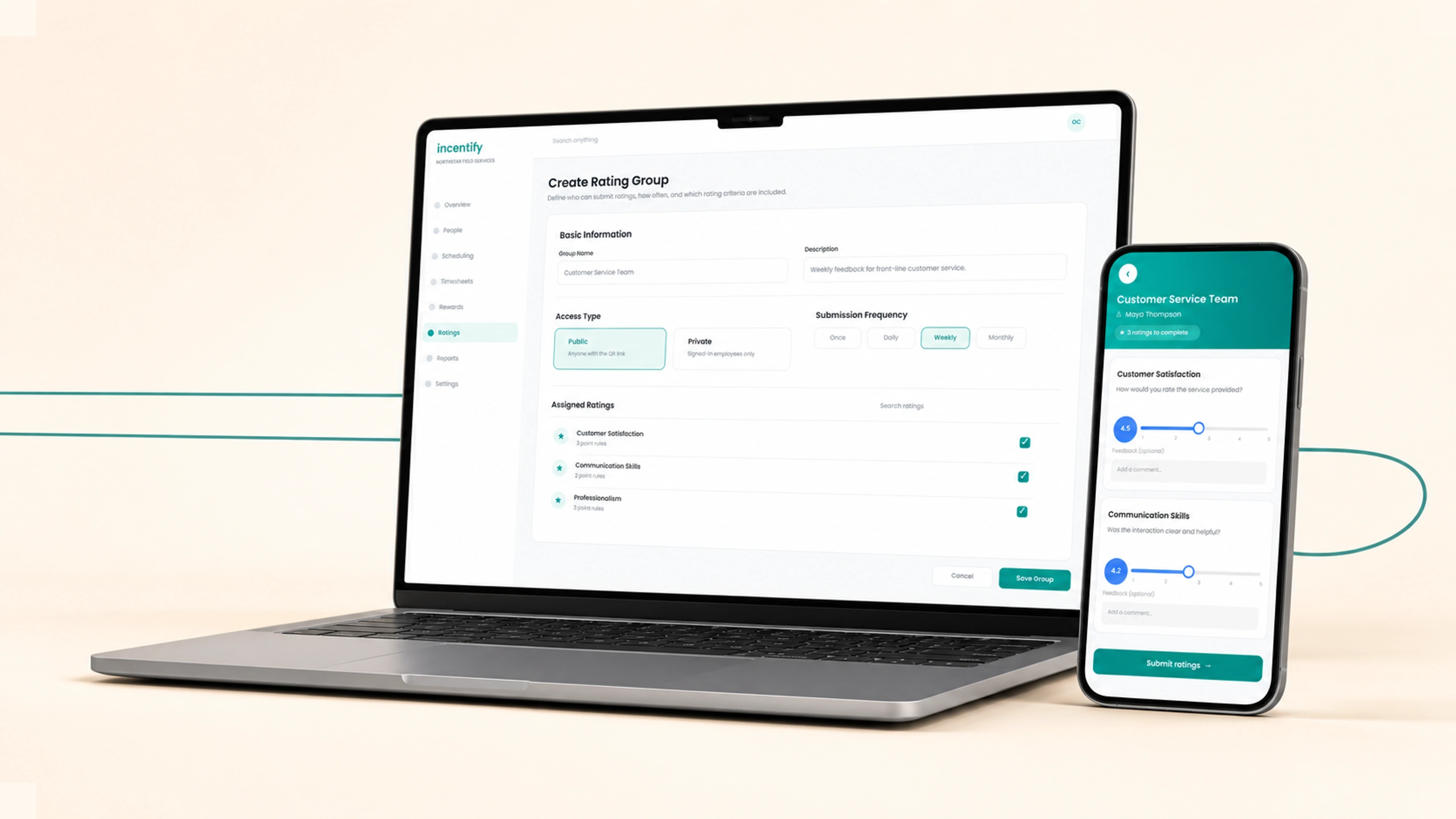
Configure rating groups and submission frequency, collect private employee feedback or public QR responses, apply point rules that feed points and rewards, and give every employee clear scoring analytics.
Instant value
Set access, frequency, and the rating criteria assigned to each group.
Gather signed-in employee feedback or open a public QR flow.
Award or deduct performance points at defined star ranges.
See overall and group-level scores with review counts.
Criteria · response · outcome
Configure access and frequency, collect private or public feedback, apply point rules, and review the employee's score summary.
Choose public or private access, submission frequency, and assigned ratings.
3 assigned ratingsEmployees score each criterion on a 0.5-to-5 slider and may add feedback.
Share the public group by downloaded QR code or copied link.
18 reviewsAward or deduct performance points when a score enters a configured star range.
Review overall and group-level scores with the supporting review count.
4.7 / 5Inside the product
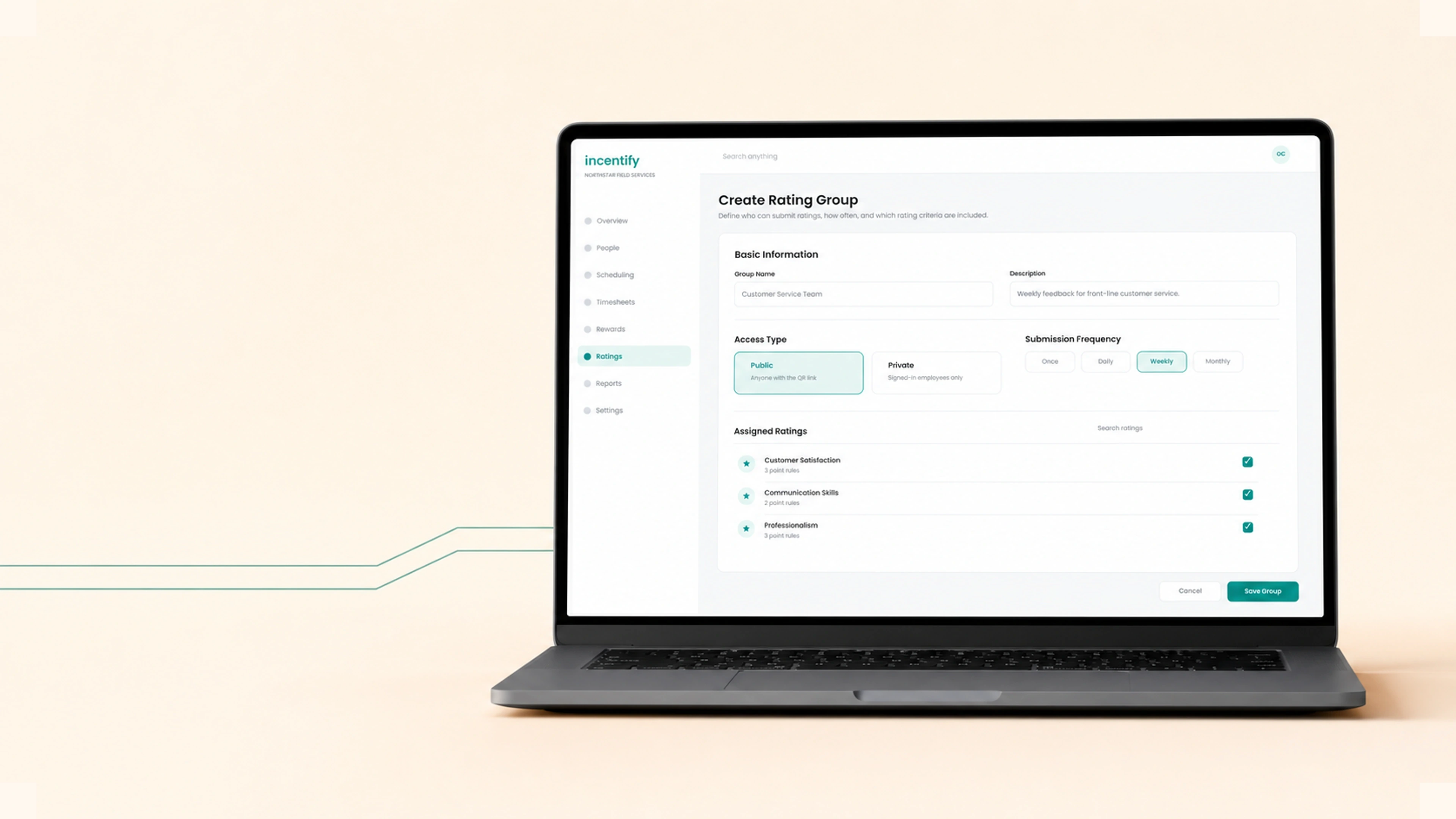
Create a group, choose public or private access, set its submission frequency, and assign the exact ratings employees or customers will complete.

Employees score the same approved criteria on a precise 0.5-to-5 slider, add optional feedback, and submit the complete group in one guided flow.

Open a public rating group, download or copy its QR link, and review the same criteria and aggregate scores that the group collects.
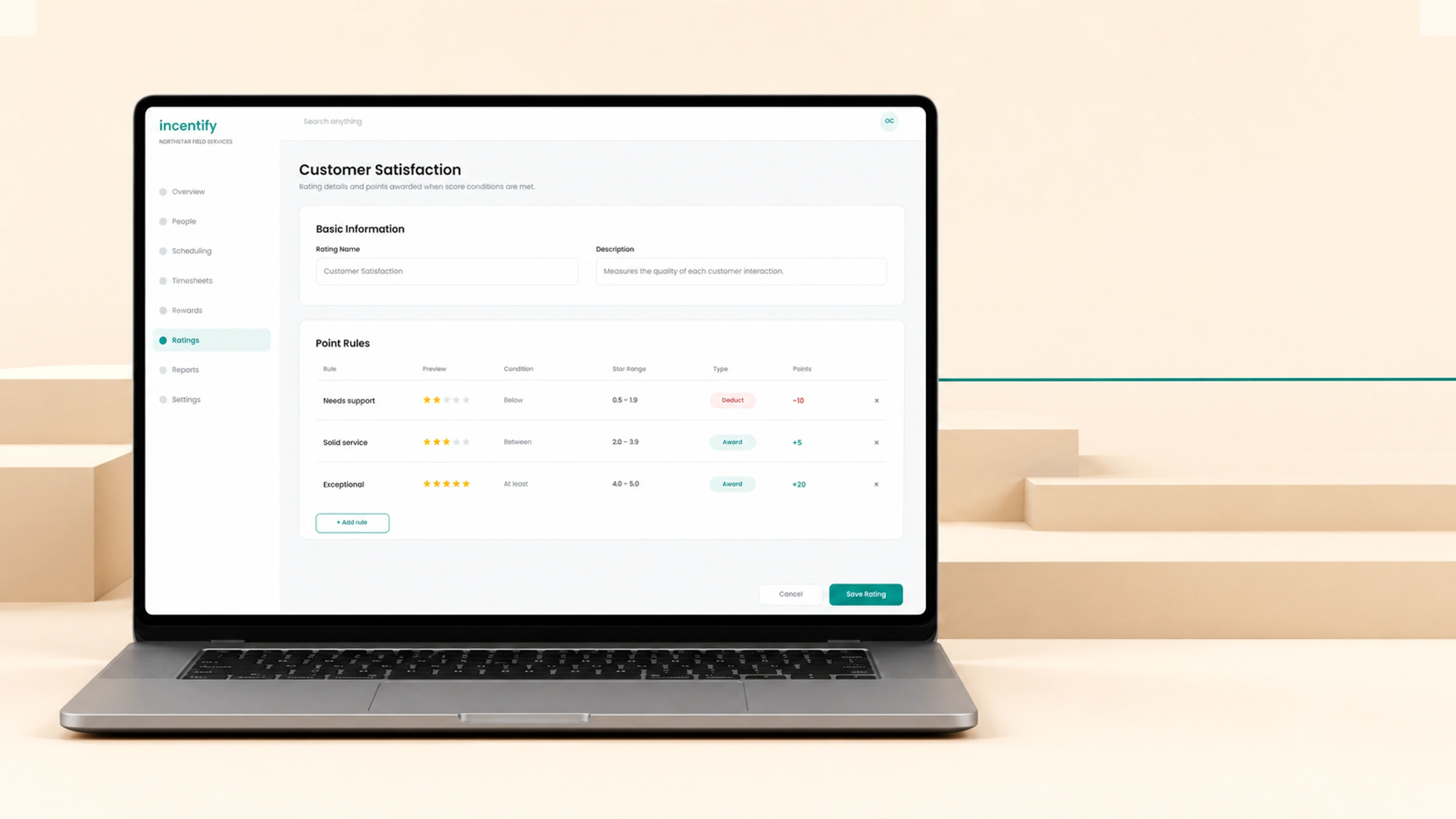
Define the condition and star range for each rule, then award or deduct the exact number of points when a submitted score matches it.
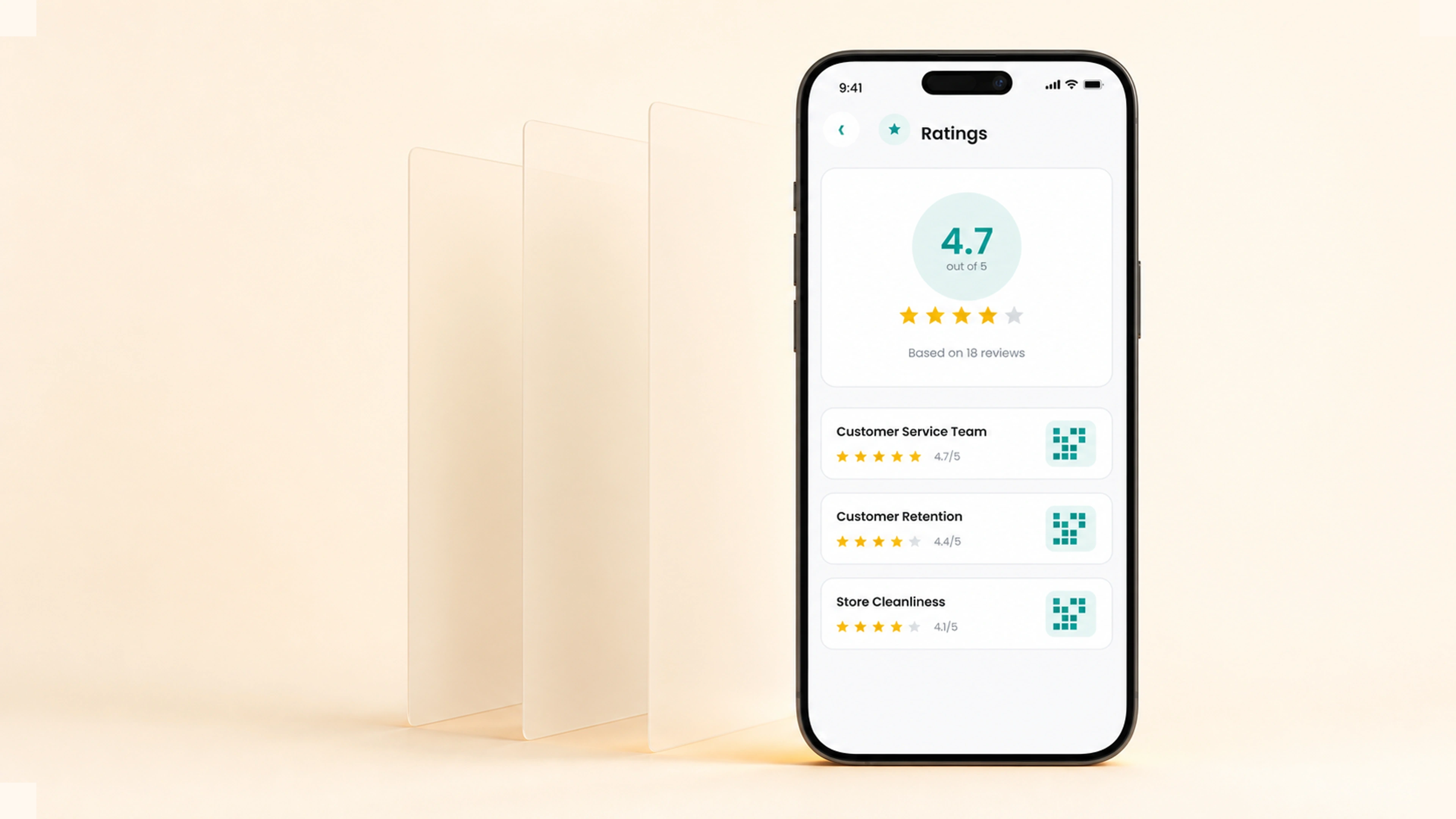
See an employee's overall score, review count, and group-by-group results, then open the public QR or rating history for deeper criterion context.
Configure one rating system, collect feedback wherever it happens, and connect stronger results to meaningful rewards.
More in Rewards & Recognitions